Getting Rid of Ghost Files in Google Docs
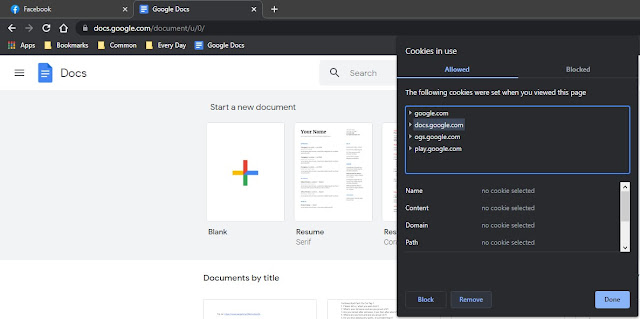
In Chrome now and then I get Google Docs that I've permanently deleted showing in the list. They are ghost files and can't be used. They tell you to go to Drive then Trash and empty the folder or delete the individual files. Well this literally does nothing to stop this from happening. So in the URL bar to the left of the URL is a lock icon, right click it and select cookies. Next click on the docs.google.com cookie and then click on remove at the bottom of the dialog box. Close Chrome and reopen it, and the ghost files should be gone.



Comments
Post a Comment